Why Your FastAPI App Works Locally But Fails in Production

The most dangerous phrase in software engineering is:
“But it works on my machine.”
On your laptop, everything feels perfect.
Your FastAPI service runs on a MacBook with plenty of RAM, near-zero latency, and one user: you.
Tests pass. Endpoints respond instantly. Logs look clean.
You deploy to production.
Then the alerts start firing.
Requests time out.
Memory usage climbs.
Workers restart without warning.
What changed?
Production isn’t a remote version of localhost.
It’s a hostile environment with limited resources, unpredictable latency, and real concurrency.
Here are five technical reasons WhyFastAPI apps break in production? and how to fix them.
1. The Server Mismatch: Raw Uvicorn vs Process Management
Locally:
You run:
uvicorn main:app --reloadIn production:
You might remove --reload and run the same command.
The failure
Uvicorn is a great ASGI server, but it’s not a process manager.
If the process crashes due to memory pressure or a segfault, it stays dead.
Your API silently goes offline.
The fix: use Gunicorn as a supervisor
Gunicorn manages worker processes and restarts them automatically if they die.
gunicorn -k uvicorn.workers.UvicornWorker -w 4 main:appIn production, resilience matters more than raw speed.
Gunicorn gives you that safety net.
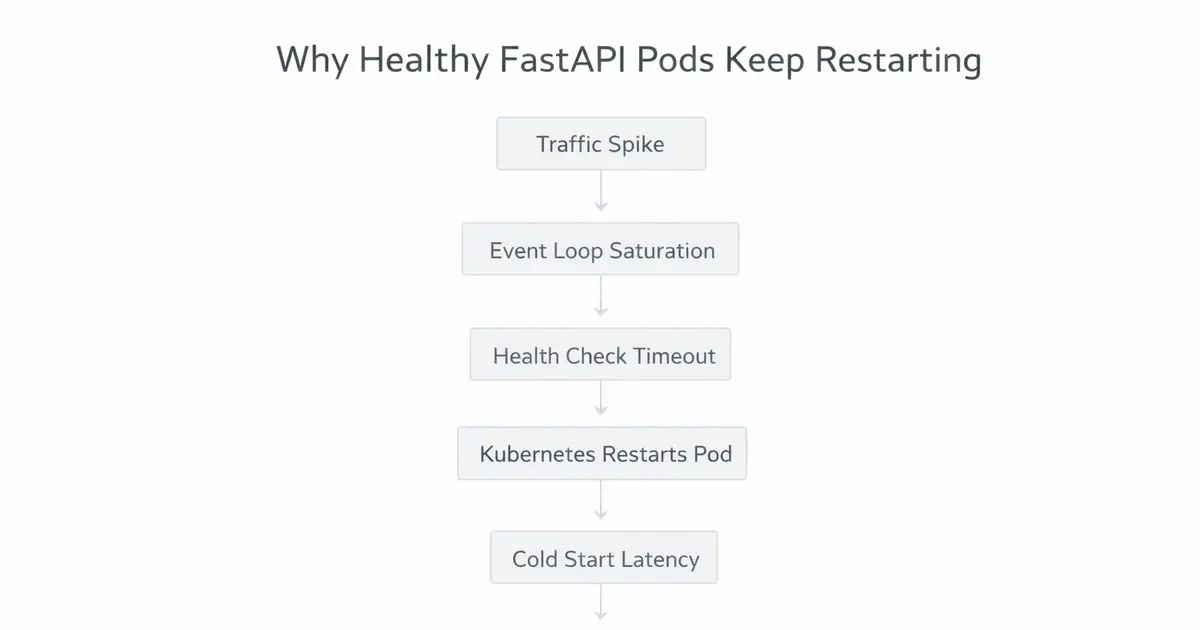
Incorrect worker counts can amplify probe failures and here’s the math.
2. The Database Latency Trap (QueuePool Overflow)
Locally:
Your database is on localhost. Queries return almost instantly.
In production:
Your database lives on a remote network (RDS, Cloud SQL, etc.).
Even a healthy query now takes 5–10ms.
The failure
Connections remain checked out longer.
Under load, your pool of five connections gets exhausted.
Suddenly your logs show:
QueuePool limit reachedRequests pile up and time out.
The fix
Treat connection pools as math, not magic.
-
Increase
pool_sizebased on workers and concurrency -
Set
pool_timeoutso requests fail fast -
Use
pool_recycleto avoid stale connections
Your database pool must scale with your deployment topology - not your laptop.
3. The Silent CPU Blocker
Locally:
One slow request is invisible.
In production:
One blocking request stalls everyone.
The failure
FastAPI uses an event loop.
If you run blocking code inside async def, you freeze the loop.
Examples of hidden blockers:
-
time.sleep() -
requests.get() -
heavy image processing
-
CPU-heavy data parsing
One slow user can freeze the entire service.
The fix
Audit every endpoint.
-
Use async libraries (
httpx, async DB drivers) -
Offload CPU work with:
await asyncio.to_thread(cpu_heavy_task)Async endpoints must stay non-blocking.
Otherwise concurrency becomes an illusion.
👉 Deep Dive: Why FastAPI Apps Slow Down (Even When CPU Is Low)
4. The Docker CPU Count Lie
Locally:
Your machine has many cores.
In production:
Your container might be limited to two.
The failure
Many libraries rely on cpu_count() to scale workers automatically.
But Docker often reports the host’s CPU count, not the container’s limit.
Your app thinks it has 64 cores, spawns dozens of workers, and they all compete for two CPUs.
Result: massive context switching and degraded performance.
The fix
Never rely on auto-detection in production.
Explicitly set worker counts based on allocated CPU:
workers = (2 × container_cores) + 1Infrastructure lies.
Hardcoded numbers don’t.
5. Memory Leaks That Only Appear Over Time
Locally:
You restart your server constantly. Memory leaks never accumulate.
In production:
The service runs for weeks.
The failure
Small leaks grow.
A lingering reference cycle.
A global cache with no eviction.
An HTTP client never closed.
Eventually memory climbs until the container is killed.
The fix
Recycle workers periodically:
--max-requests 1000 --max-requests-jitter 50Also:
-
close DB pools properly
-
manage lifespan events
-
monitor memory trends, not just crashes
Production issues are often slow problems, not instant ones.
Conclusion
The gap between localhost and production is where reliability dies.
Bridging that gap requires treating production as a system, not just a deployment target.
Use Gunicorn to supervise workers.
Size your database pools intentionally.
Respect the event loop.
Set worker counts explicitly.
Design for long-running stability.
Because in backend engineering:
If it only works locally, it doesn’t work.
Working on something similar?
If you're building backend or AI systems and want a second set of senior eyes, let's talk.