You deploy your FastAPI app.
Docker builds successfully.
Health checks pass.
Traffic starts flowing.
Then comes the question every backend engineer eventually asks:
“How many workers should I run?”
Pick a number too low, and your server sits idle while requests queue up.
Pick a number too high, and your machine spends more time juggling processes than executing code.
This is not a tuning detail.
Worker count is one of the highest-impact performance decisions you make in production.
Let’s break down the math, kill a dangerous myth, and expose the container trap that silently destroys FastAPI performance.
The Myth: “More Workers = More Speed”
It is natural to think: “If 1 worker handles 1,000 requests, 10 workers will handle 10,000.”
This assumption is dangerously wrong.
Uvicorn workers are processes, not threads. Each worker is an independent instance of your Python application with its own memory space. If your server has 2 CPU Cores, it can physically only run 2 things at the exact same instant.
If you spawn 10 workers on a 2-core machine:
-
The OS has to rapidly pause Worker #1 to let Worker #2 run, then pause #2 for #3, and so on.
-
This “Context Switching” is expensive.
-
You end up strictly slower than if you had just stuck to 2 or 3 workers.
More processes do not create more CPU, they only compete for it.
If your API slows down over time even with correct worker sizing, you may actually be leaking database sessions. I covered how to detect and fix that in my guide on FastAPI session leaks.
The Worker Formula Most Engineers Get Wrong
For years, the Gunicorn documentation (which manages Uvicorn workers) has recommended a specific formula that strikes the perfect balance for Python web servers:
Workers = (2 x CPU Cores) + 1
This formula is a starting point and not a law. Modern async workloads often need fewer workers than traditional WSGI apps.
Why this number?
-
The “2x”: Even in an Async world, processes sometimes wait (System I/O, OS overhead). Having slightly more workers than cores ensures that if one worker is momentarily stuck doing non-async work, another creates a “pipeline” to keep the CPU busy.
-
The “+1”: This is the “spare tire.” It handles the jitter/fluctuation to ensure 100% utilization.
Examples:
-
1 Core (Standard AWS t3.micro):
(2*1)+1= 3 Workers -
2 Cores:
(2*2)+1= 5 Workers -
4 Cores:
(2*4)+1= 9 Workers
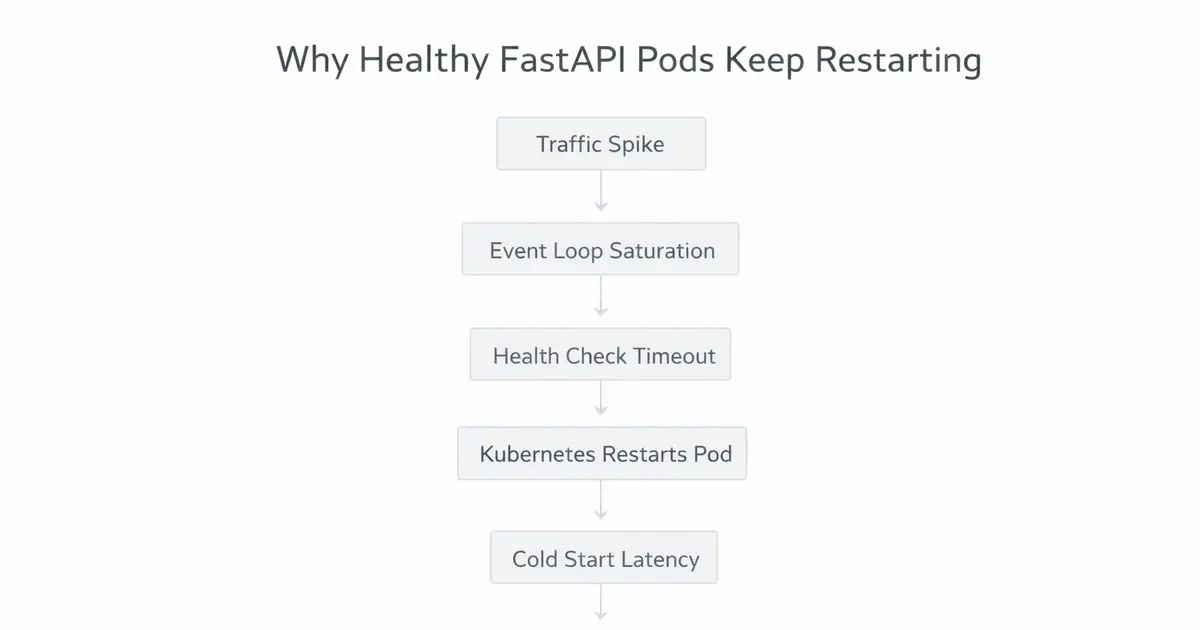
Checkout why Uvicorn Health Checks Fail Under Load and how to fix?
The “Memory” Constraint
The formula above assumes you have infinite RAM. You do not.
This is the #1 cause of crashing containers. Each Uvicorn worker loads your entire application into RAM.
-
If your app takes 150MB to boot (imports, ML models, caches).
-
And you set
workers=10. -
You just consumed 1.5 GB of RAM immediately.
If your server only has 1GB of RAM, your container will crash with an OOM (Out of Memory) Kill before it serves a single request.
The Revised Rule:
Calculate CPU limit first. Then check Memory limit. If
(Workers * App Memory) > Total RAM, reduce workers.
When You Should BREAK the Formula?
Use fewer workers when:
-
Your app is heavily async
-
Most latency comes from network calls
-
You use large DB pools
-
Memory is tight
Use more workers when:
-
You run CPU-heavy workloads
-
You do image processing
-
You hash aggressively
-
You run ML inference
The Docker Trap (Critical)
This is where 90% of deployments fail.
If you deploy to Kubernetes (K8s) or AWS ECS, you usually define a CPU Limit (e.g., 0.5 vCPU or 2 vCPU).
However, if you use Python’s automatic detection inside the container:
Python
import multiprocessingprint(multiprocessing.cpu_count())It often reports the Physical Host’s CPU count (e.g., 64 Cores), not your container’s limit (2 Cores).
The Disaster Scenario:
-
You are on a massive K8s Node (64 Cores).
-
Your pod has a limit of
2 CPUs. -
Your script sees 64 cores and spawns 129 workers
(64*2 + 1). -
Your 129 workers fight over 2 tiny CPU cores.
-
Performance creates a “Thundering Herd” problem, latency skyrockets, and health checks fail.
Containers lie about CPU. Always verify what your runtime actually sees.
The Fix
Never rely on auto-detection in containerized environments unless you are sure your library respects cgroups (limits). Always pass the worker count explicitly via an environment variable.
In Dockerfile / Kubernetes:
YAML
# CMD linegunicorn -k uvicorn.workers.UvicornWorker -w $WORKERS main:appIn Deployment YAML:
YAML
env: - name: WORKERS value: "5" # Manually calculated for 2 CPU limitRunning in Production: Gunicorn vs. Uvicorn
Should you run uvicorn directly?
Bash
# Developmentuvicorn main:app --workers 4For production, the standard is using Gunicorn as a process manager to spawn Uvicorn workers. Gunicorn is more robust at handling dead processes and signals.
Bash
# Production Standardpip install gunicorn uvicorngunicorn -w 5 -k uvicorn.workers.UvicornWorker main:appWorkers Do NOT Increase Concurrency
Async handles concurrency.
Workers provide CPU isolation, not scale.
If your app slows down under load, blindly increasing workers often makes things worse, especially when database pools get exhausted.
Fix architecture first.
Then tune workers.
These are some FastAPI uvicorn workers best practices which you can follow to make your production alive and kicking.
Conclusion: The Checklist
Don’t guess. Calculate.
-
Count your Cores: Are you allocating 1 vCPU? 2 vCPUs?
-
Apply the Formula:
(2 * Cores) + 1. -
Check Memory: Multiply
Workers * 200MB. Do you have enough RAM? -
Hardcode it: Set the
WORKERSenv variable in your deployment config. Do not trust auto-detection.
Don’t guess your worker count.
Calculate it, or production will calculate it for you.
Once your async setup is correct, the next production bottleneck usually appears at the database layer specifically connection exhaustion. If you haven’t hit it yet, you probably will.
Fixing QueuePool Limit Errors in FastAPI
Working on something similar?
If you're building backend or AI systems and want a second set of senior eyes, let's talk.