Fix AsyncSession Errors in FastAPI (SQLAlchemy 2.0 Guide)
Introduction
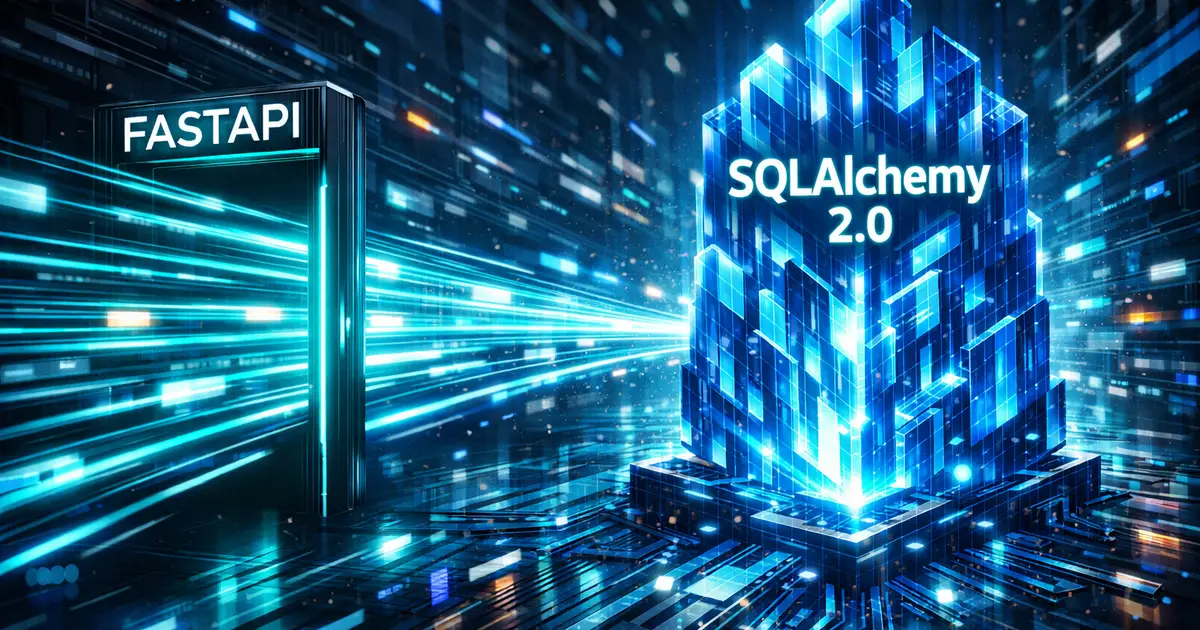
Building async APIs with FastAPI and SQLAlchemy 2.0 looks straightforward in tutorials, until you deploy to production.
Suddenly you start seeing issues like random MissingGreenlet errors, confusing async session behavior, blocked event loops, or database calls that are technically “async” but still slow under load. These problems usually appear when teams migrate from synchronous Flask or Django applications to FastAPI without fully understanding how async architecture actually works.
This article is not a beginner’s FastAPI tutorial.
It is a practical, production-focused guide to building high-performance async backend APIs using FastAPI and SQLAlchemy 2.0, covering real-world concerns such as async engine configuration, session lifecycle management, lifespan events, connection pooling, and common failure modes.
Most AsyncSession errors come from incorrect lifespan handling. Here’s the production-safe setup used in high-load FastAPI systems.
If you are already using FastAPI (or planning a migration from Flask) and want an async architecture that scales cleanly beyond toy examples, this guide is written for you.
The Setup
First, let’s grab our dependencies. Notice we need an async driver (aiosqlite) because standard drivers like psycopg2 or sqlite3 are synchronous and will block your loop.
Bash
pip install fastapi uvicorn sqlalchemy aiosqlite pydantic1. The Database Engine (database.py)
The most critical part of an async setup is the AsyncEngine. If you initialize this wrong, your whole app runs synchronously.
Python
from sqlalchemy.ext.asyncio import create_async_engine, async_sessionmaker, AsyncSessionfrom sqlalchemy.orm import DeclarativeBase
# 1. Connection String (Note the +aiosqlite driver)# For Postgres, use: postgresql+asyncpg://user:pass@localhost/dbnameSQLALCHEMY_DATABASE_URL = "sqlite+aiosqlite:///./test.db"
# 2. Create the Async Engineengine = create_async_engine(    SQLALCHEMY_DATABASE_URL,    echo=True, # Logs SQL queries to console (Great for debugging))
# 3. Create the Session Factory# This is what generates new database sessions for each requestAsyncSessionLocal = async_sessionmaker(    bind=engine,    class_=AsyncSession,    expire_on_commit=False)
# 4. Base Class for Modelsclass Base(DeclarativeBase):    pass
# 5. Dependency Injection# We use this in our FastAPI routes to get a DB sessionasync def get_db(): async with AsyncSessionLocal() as session: yield session2. The Models (models.py)
SQLAlchemy 2.0 introduced a beautiful new way to define models using Python type hints (Mapped). No more vague Column(Integer, ...) syntax.
Python
from sqlalchemy.orm import Mapped, mapped_columnfrom sqlalchemy import String, Integer, Booleanfrom database import Base
class Task(Base):    __tablename__ = "tasks"
    id: Mapped[int] = mapped_column(primary_key=True, index=True)    title: Mapped[str] = mapped_column(String(50), index=True)    description: Mapped[str] = mapped_column(String(255), nullable=True)    is_completed: Mapped[bool] = mapped_column(default=False)
3. The Schemas (schemas.py)
Pydantic handles our data validation. We keep our “Create” logic separate from our “Response” logic.
Python
from pydantic import BaseModel, ConfigDict
class TaskCreate(BaseModel):    title: str    description: str | None = None
class TaskResponse(TaskCreate):    id: int    is_completed: bool
    # Pydantic V2 Config to read from ORM models    model_config = ConfigDict(from_attributes=True)
4. The API Endpoints (main.py)
Here is where the magic happens. Notice two key things:
-
async def: The endpoints are asynchronous. -
await session.execute(select(...)): We use the new SQLAlchemy 2.0 selection style, not the oldsession.query().
Python
from fastapi import FastAPI, Depends, HTTPExceptionfrom sqlalchemy.ext.asyncio import AsyncSessionfrom sqlalchemy import selectfrom contextlib import asynccontextmanager
import models, schemasfrom database import engine, get_db
# Lifespan event to create tables on startup@asynccontextmanagerasync def lifespan(app: FastAPI):    async with engine.begin() as conn:        await conn.run_sync(models.Base.metadata.create_all)    yield
app = FastAPI(lifespan=lifespan)
# CREATE@app.post("/tasks/", response_model=schemas.TaskResponse)async def create_task(task: schemas.TaskCreate, db: AsyncSession = Depends(get_db)):    new_task = models.Task(**task.model_dump())    db.add(new_task)    await db.commit()    await db.refresh(new_task)    return new_task
# READ (Async Select)@app.get("/tasks/", response_model=list[schemas.TaskResponse])async def read_tasks(skip: int = 0, limit: int = 10, db: AsyncSession = Depends(get_db)):    # The Modern 2.0 Syntax    query = select(models.Task).offset(skip).limit(limit)    result = await db.execute(query)    return result.scalars().all()
# UPDATE@app.patch("/tasks/{task_id}", response_model=schemas.TaskResponse)async def update_task(task_id: int, completed: bool, db: AsyncSession = Depends(get_db)):    query = select(models.Task).where(models.Task.id == task_id)    result = await db.execute(query)    task = result.scalar_one_or_none()
    if task is None:        raise HTTPException(status_code=404, detail="Task not found")
    task.is_completed = completed    await db.commit()    await db.refresh(task)    return task
Async SQLAlchemy Engine and Session Lifecycle in FastAPI
In production FastAPI applications, the async SQLAlchemy engine should be created once at application startup and reused across requests. Creating engines or sessions per request is a common mistake that leads to connection exhaustion and unpredictable performance.
FastAPI’s lifespan context is the recommended place to initialize the async engine and session factory, ensuring clean startup and shutdown behavior while avoiding hidden global state.
Note- SQLAlchemy 2.0 removed legacy query patterns, which is why AsyncSession no longer exposes .query().”
Reference Implementation
A minimal, production-focused reference implementation for this architecture is available on GitHub:
https://github.com/AyushKaushik-BD/fastapi-sqlalchemy-async-patterns
Why This Matters
In the synchronous world, if the database takes 200ms to fetch those tasks, your entire server thread is blocked for 200ms. It can do nothing else.
In this Async version, while the database is fetching data (await db.execute), Python releases the control loop. Your API can accept 50 other requests during that 200ms “wait” time.
This is how you scale to thousands of users on a single server.
Next Step: Deploying this
Now that you have a high-performance backend, how do you deploy it? You can’t just use python main.py in production. In the next article, I will show you how to containerize this with Docker and deploy it to Google Cloud Run.
Working on something similar?
If you're building backend or AI systems and want a second set of senior eyes, let's talk.