FastAPI Session Leak Detection: How to Find and Fix Long-Running SQLAlchemy Sessions in Production?
You deploy your FastAPI app.
Everything looks healthy.
Latency is low.
Memory usage is stable.
Health checks are green.
Then two days later:
• Database CPU spikes
• Requests start timing out
• Logs show QueuePool limit reached
• Restarting pods “fixes” it… temporarily
This is almost never a database problem.
It’s a SQLAlchemy session leak.
And unlike memory leaks, session leaks don’t explode immediately -
they slowly strangle your system until it stops serving traffic.
This guide explains how to detect, debug, and permanently fix them.
What a Session Leak Looks Like in Production
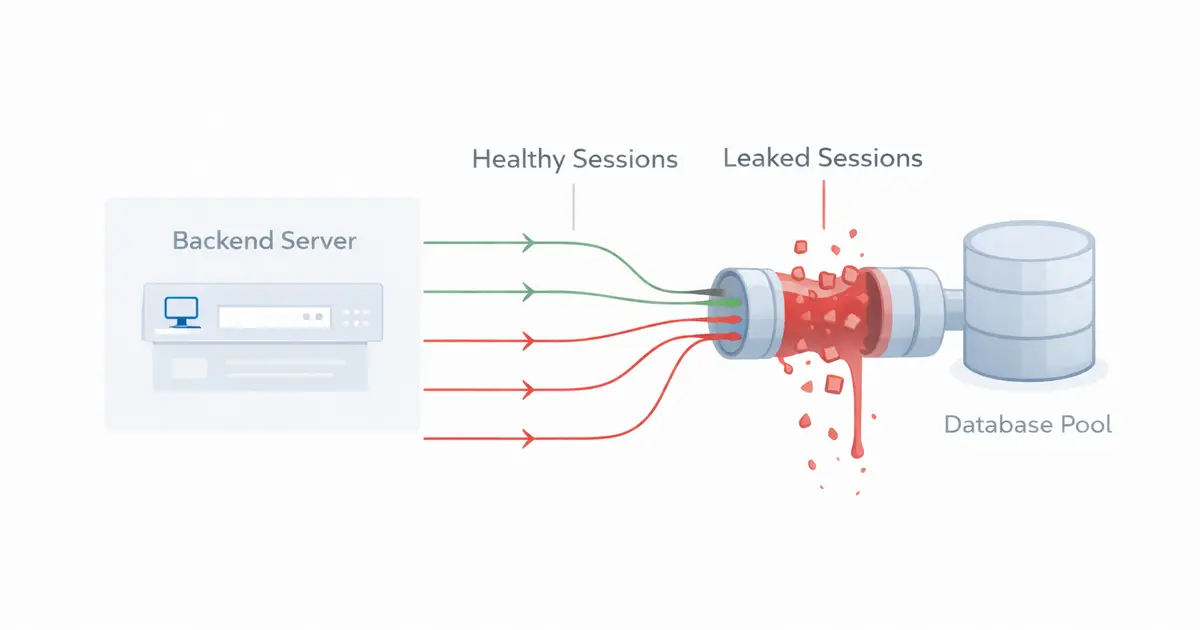
A leaked session is just a connection that never returns to the pool.
But in production, it shows up as:
Gradual latency creep
Requests that took 40ms start taking seconds.
The “hard limit” failure
Your API works fine… until it hits exactly pool_size + overflow, then everything hangs.
Database shows idle transactions
Your DB dashboard fills with connections doing nothing.
If this happens, your FastAPI SQLAlchemy connection pool isn’t too small.
It’s being silently drained.
What Causes Long-Running SQLAlchemy Sessions
A SQLAlchemy long running session happens when a session is created but not properly closed.
This usually comes from architecture mistakes, not syntax errors.
Background task misuse
The classic bug:
@app.post("/send-email")async def send_email(db: Session = Depends(get_db)): background_tasks.add_task(process_email, db)The request finishes.
FastAPI closes the session.
Your background task tries to use it anyway.
Now the connection sits in a broken state forever.
Manual session handling
db = SessionLocal()do_something()# error happens here# db.close() never runsOne forgotten close in a rarely-hit code path can slowly drain your pool.
Global session objects
If you ever see this:
db = SessionLocal()outside a function…
You don’t just have leaks.
You have shared transaction state across users.
This causes data corruption, not just performance issues.
How Connection Pools Hide Leaks
Connection pooling in Python makes leaks hard to notice.
When you create a session, SQLAlchemy does NOT open a new TCP connection.
It borrows one from the pool.
When you close the session, it returns it.
If you forget to close it:
The connection stays “checked out” forever.
Default pool settings:
• pool_size = 5
• overflow = 10
That means only 15 leaked sessions can freeze your API completely.
This is why FastAPI SQLAlchemy connection pool issues often appear “random”.
They only surface under sustained traffic.
How to Detect Session Leaks in FastAPI
You cannot fix leaks until you see them.
Here are the fastest ways to detect them.
1. Enable pool logging
engine = create_engine(DATABASE_URL, echo_pool="debug")Healthy logs:
checked outreturnedchecked outreturnedLeak pattern:
checked outchecked outchecked outand never returned.
2. Track pool usage in runtime
@app.get("/debug/pool")def pool_status(): return { "checked_out": engine.pool.checkedout(), "checked_in": engine.pool.checkedin(), "overflow": engine.pool.overflow(), }If checked_out steadily climbs and never drops, you have a leak.
How to Fix Session Leaks Properly
You don’t fix leaks with tweaks.
You fix them with lifecycle control.
The yield dependency pattern (mandatory)
def get_db(): db = SessionLocal() try: yield db finally: db.close()This ensures the session closes even if:
• the request crashes
• an exception occurs
• the client disconnects
This is the single most important SQLAlchemy connection management pattern in FastAPI.
Never reuse request sessions in background tasks
Each task must open its own session scope.
def process_email_task(user_id: int): with SessionLocal() as db: user = db.get(User, user_id) send_email(user)Request sessions belong to the request lifecycle only.
Add connection health checks
engine = create_engine( DATABASE_URL, pool_pre_ping=True, pool_recycle=3600)This prevents stale connections from poisoning your pool.
Monitoring Session Leaks in Kubernetes / Docker
Logs are not enough in production.
You need metrics.
Track:
• checked-out connections
• pool usage percentage
• DB idle transactions
Export these metrics to Prometheus, Datadog, or Grafana.
A simple alert rule:
If checked-out connections stay above 80% for 5 minutes, alert immediately.
This catches leaks before users see failures.
Conclusion
A SQLAlchemy long running session doesn’t crash your app instantly.
It slowly consumes your connection pool until your API stops responding.
The fix isn’t complicated:
• Always use the yield dependency pattern
• Never share sessions across background tasks
• Monitor pool usage in production
Do this, and your FastAPI app stops being fragile, and starts behaving like a real production system.
Working on something similar?
If you're building backend or AI systems and want a second set of senior eyes, let's talk.